Start Signup
Choose a monthly plan, enter business details, create a portal password, and choose whether SMS consent applies.
This quick overview shows the full path a new customer follows: sign up, choose payment, get activated, and use the client portal without needing to open every technical app behind the scenes.
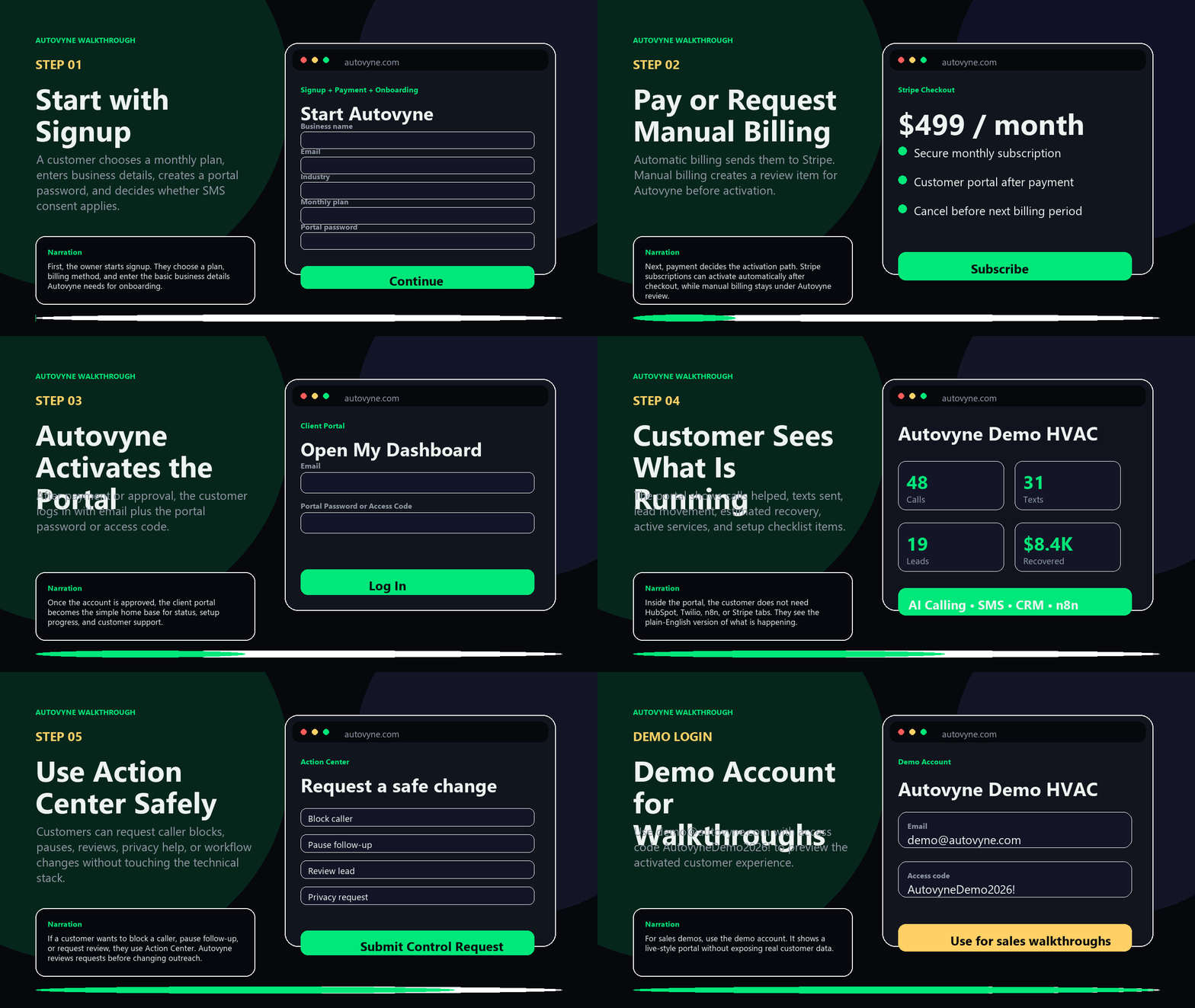
Choose a monthly plan, enter business details, create a portal password, and choose whether SMS consent applies.
Automatic billing goes through Stripe. Manual billing creates a review item before activation.
After payment or approval, the account opens with email plus the portal password or access code.
Customers can see services, activity, recovered value, onboarding progress, and safe control requests.
Use this test account when recording sales walkthroughs, onboarding videos, or customer demos. It is intentionally separate from real customer data.
demo@autovyne.comAutovyneDemo2026!Customers do not need to download or learn all these tools. Autovyne connects them in the background and shows the plain-English status inside the client portal.
Summarizes leads, explains account activity, powers the portal helper, and supports admin review without sending messages by itself.
Handles approved SMS workflows, STOP/HELP replies, and phone-number messaging rules when consent records allow it.
Stores contacts and lead status so follow-up is organized instead of scattered across notes and inboxes.
Moves events between Autovyne, CRM, SMS, alerts, and onboarding workflows after the right checks pass.
Runs secure monthly subscription checkout and lets automatic-billing customers manage payment settings.
Stores portal accounts, consent proof, questions, activity, metrics, and compliance records.
First, the owner starts signup. They choose a plan, billing method, and enter the basic business details Autovyne needs for onboarding.
Next, payment decides the activation path. Stripe subscriptions can activate automatically after checkout, while manual billing stays under Autovyne review.
Once the account is approved, the client portal becomes the simple home base for status, setup progress, and customer support.
Inside the portal, the customer does not need HubSpot, Twilio, n8n, or Stripe tabs. They see the plain-English version of what is happening.
If a customer wants to block a caller, pause follow-up, or request review, they use Action Center. Autovyne reviews requests before changing outreach.
For sales demos, use the demo account. It shows a live-style portal without exposing real customer data.